September 21, 2026 · 10 min · engineering · api · agents
.mdArchitecting Avatars That Talk Back: Realtime Interaction Principles
Explore the engineering behind interactive AI avatars that talk back, focusing on the TIC Realtime Avatar platform's full-duplex communication and visual.
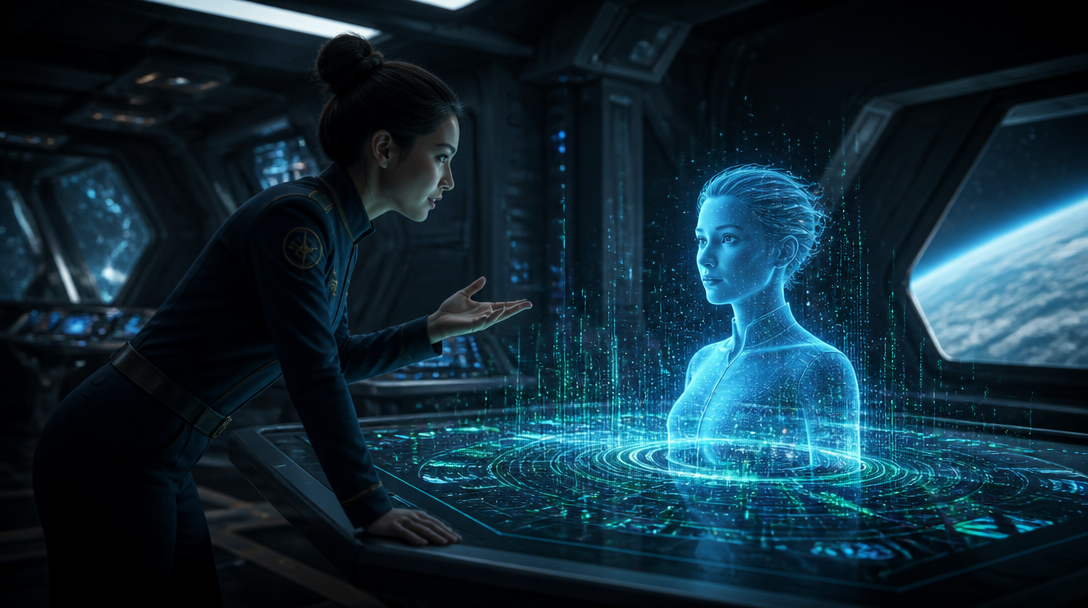
An interactive AI avatar that talks back is, at its core, a digital character capable of engaging in dynamic, two-way conversations with a human user in real time. This moves beyond the static response of a chatbot or the passive playback of pre-recorded video. The system must listen, understand, and respond instantly, synchronizing speech with facial movements and gestures to forge a human-like conversational experience. The TIC Realtime Avatar platform is engineered for this precise task, providing the foundational mechanics for embodying AI agents with a credible, live presence from a single portrait image.
The Mechanics of Realtime Conversation: Beyond the Walkie-Talkie
Traditional voice AI often operates on a turn-taking model, much like a walkie-talkie: one party speaks, then releases the channel for the other to respond. This sequential exchange, while functional, can feel unnatural and impede fluid conversation. The essence of an avatar that truly "talks back" lies in its capacity for full-duplex communication – the ability to listen and speak concurrently, mirroring human interaction.
The TIC platform is built from the ground up for this full-duplex interaction. This design principle manifests in several critical ways that alleviate common friction points in interactive avatar development:
- Interrupt her and she stops: If a user speaks while the avatar is talking, the avatar can stop mid-sentence, process the interruption, and acknowledge it in character. This responsiveness is crucial for maintaining a natural dialogue flow, preventing the avatar from talking over a user inadvertently. This differs significantly from systems that simply snap to silence.
- A cough or an "mm-hm" does not derail her: Backchanneling sounds—those small vocalizations like a cough, a sigh, or an affirmative "mm-hm"—are part of human conversation. The system distinguishes these from true interruptions, ensuring the avatar continues its thought rather than abruptly halting. A system that halts for every minor sound feels brittle and breaks immersion.
- A pause is not the end of your turn: The platform judges whether a user is finished speaking by the semantic content of their utterance, not merely by the duration of silence. This prevents the avatar from talking over the user during a natural conversational pause and avoids awkward gaps where the avatar waits excessively for further input.
- Silence and language switches are handled: Strategic silence can be a meaningful conversational signal, which the avatar can interpret and act upon. Similarly, the platform is designed to track and follow language changes even within a single sentence, adapting in real time to multilingual input.
These capabilities are not configured but are inherent to every call on the platform, establishing a baseline for natural interaction. It is worth noting one deliberate design choice: the avatar will not initiate a *new* sentence while the user is actively speaking. This trade-off balances responsiveness with conversational coherence, favoring clear communication over overlapping speech.
Building Presence: From Single Image to Embodied Interlocutor
The journey from a conceptual AI agent to an embodied, interactive avatar begins with its visual form. The TIC platform streamlines this by creating a complete digital presence from a single, static portrait image. This approach focuses on efficiency and realism, generating the necessary motion and idle animations without requiring complex video input from the developer.
Creating Your Avatar
To initiate avatar creation, you supply a single portrait image. The platform then takes this image and autonomously generates a looping idle video and a comprehensive multi-clip motion library in the background. This process bypasses the need for manual animation or motion capture, allowing developers to focus on the AI agent's logic rather than its visual production. Custom video upload for avatar creation is not supported; the system’s strength lies in its generative capabilities from minimal visual input. An optional `motionPrompt` can art-direct the generated idle loop, guiding the avatar's default demeanor.
The avatar creation process is managed through the API, starting with a POST request to the `/avatars` endpoint, specifying a `sourceAssetId` for the uploaded portrait. The avatar enters a `preprocessing` status and eventually transitions to `ready` once the idle video and motion library are complete. Developers can poll the avatar's status via `GET /avatars/{id}` to track this progress.
Integrating Realtime Interaction with the TypeScript SDK
Once an avatar is ready, the Realtime Avatar TypeScript SDK facilitates its integration into your application. The SDK (`realtime-avatar`) is type-safe, generated from an OpenAPI specification, and provides robust primitives for managing call state and media. For React applications, the `AvatarCall` component or the `useAvatarCall` hook simplifies the setup of an interactive session. These tools abstract away the complexities of WebRTC and session management, allowing developers to concentrate on the user experience and agent logic.
import { createProxyClient, useAvatarCall } from "realtime-avatar/react";

const client = createProxyClient({ proxyUrl: "/api/realtime-avatar" });

function MyCall({ avatarId }: { avatarId: string }) {
  const { call, view } = useAvatarCall({ client, avatarId });
  return <>
    {view}
    <p role="status">{call.status}</p>
    <button onClick={() => call.end()}>End call</button>
  </>;
}
The SDK provides granular control over UI elements based on the call's lifecycle and connection quality. The `onStatusChange` callback tracks the avatar's conversational state, while `onConnectionDetailsChange` provides insights into network conditions and media quality. These details are vital for building a resilient and informative user interface, allowing you to display notices or retry controls as needed.
Beyond audio-visual interaction, the platform enables multimodal input. The `useAvatarCamera` hook allows you to grant the avatar access to the user's camera, enabling visual understanding. The avatar can then process occasional images (at most once every two seconds) to inform its responses, adding another layer of contextual awareness to the interaction. This is distinct from continuous motion recognition and respects user privacy by excluding camera images from server call recordings.
import { useAvatarCamera } from "realtime-avatar/react";

function CameraControl({ allowed, active }: { allowed: boolean; active: boolean }) {
  const camera = useAvatarCamera({ allowed, active });
  return <>
    <p>Share camera images with AI to let the character see what you show.</p>
    <button style={{ minHeight: 44 }} disabled={!camera.available}
      aria-pressed={camera.enabled} onClick={() => void camera.toggle()}>
      {camera.pending ? "Cancel camera request" : camera.enabled ? "Stop sharing camera" : "Share camera"}
    </button>
    <p role="status">{camera.error ? "Camera unavailable. Check camera permissions and try again." : ""}</p>
  </>;
}
Practical Considerations and Known Limitations
While the promise of truly interactive AI avatars is compelling, successful deployment requires acknowledging both technical realities and current limitations. The overall architecture for such systems typically involves a tight, streaming loop integrating Speech-to-Text (STT), Large Language Models (LLMs), Text-to-Speech (TTS), and avatar rendering. Each component contributes to the end-to-end latency.
Latency remains a critical metric. While external benchmarks for similar systems report pipeline latencies where LLMs often comprise the largest portion, achieving consistent sub-second response times across diverse network conditions and complex model inferences is an ongoing engineering challenge. The `onConnectionDetailsChange` callback in the SDK offers a practical way for developers to monitor real-time connection quality and adapt the user experience accordingly, without the platform making any specific latency promises.
Regarding emotional intelligence, AI avatars can analyze textual, vocal, and visual cues to adapt their responses and simulate emotional reactions. However, genuine human emotional understanding is still an evolving field for AI. Research suggests that while AI avatars are highly effective for specific tasks like preliminary support, users often perceive them as lacking the deep emotional empathy of human interaction. The goal is to build a credible, responsive interface, not to mimic human consciousness perfectly. (source:9, source:10, source:11)
Finally, the financial implications of real-time interaction at scale are a factor. The TIC platform operates on a usage-based pricing model, anchored at approximately $5 per hour of realtime interaction, with plans offering included hours and transparent overage rates. Avatar creation is a small, one-time cost beyond included allowances.
How to Ship It: A Developer's Approach
Shipping an interactive AI avatar application is fundamentally about integrating robust components and managing their real-time orchestration. The TIC Realtime Avatar platform provides the necessary API and SDK to accelerate this process.
- Start with the Core: Begin by creating an avatar from a high-quality portrait image through the API. Monitor its status until it's `ready`.
- Integrate with the SDK: Leverage the TypeScript SDK (`realtime-avatar`) to embed the avatar into your frontend. The `AvatarCall` component or `useAvatarCall` hook provides the foundational connection. Implement `onStatusChange` and `onEnded` callbacks to manage the call's lifecycle and UI state.
- Monitor Connection Quality: Utilize `onConnectionDetailsChange` to observe real-time network and media quality. This data allows you to provide crucial feedback to your users, such as connection warnings, and helps debug potential issues.
- Enable Multimodal Input: If your application benefits from visual context, integrate `useAvatarCamera` to allow the avatar to interpret user camera feeds. Ensure you handle user permissions and privacy transparently.
- Access Documentation: The platform's OpenAPI document at /openapi.json and agent-readable documentation at /llms.txt provide comprehensive references for API endpoints, data models, and agent integration. This is your primary resource for understanding the system's capabilities and constraints.
- Leverage Resident Avatars for Prototyping: The /studio showcases a roster of resident live avatars. These can be used for rapid prototyping and testing your interaction logic before committing to custom avatar creation.
Building interactive AI avatars is an exercise in managing a complex, distributed, real-time system. By focusing on the provided tools and understanding the inherent capabilities and limitations of the platform, developers can effectively bring truly conversational, embodied AI experiences to life.