November 18, 2026 · 11 min · api · engineering · games
.mdTalking character from one image: APIs that accept illustrations
One image to a live talking character, Nov 2026: five avatar APIs need no training video or consent step. Which accept anime or illustrated art, and the cost.
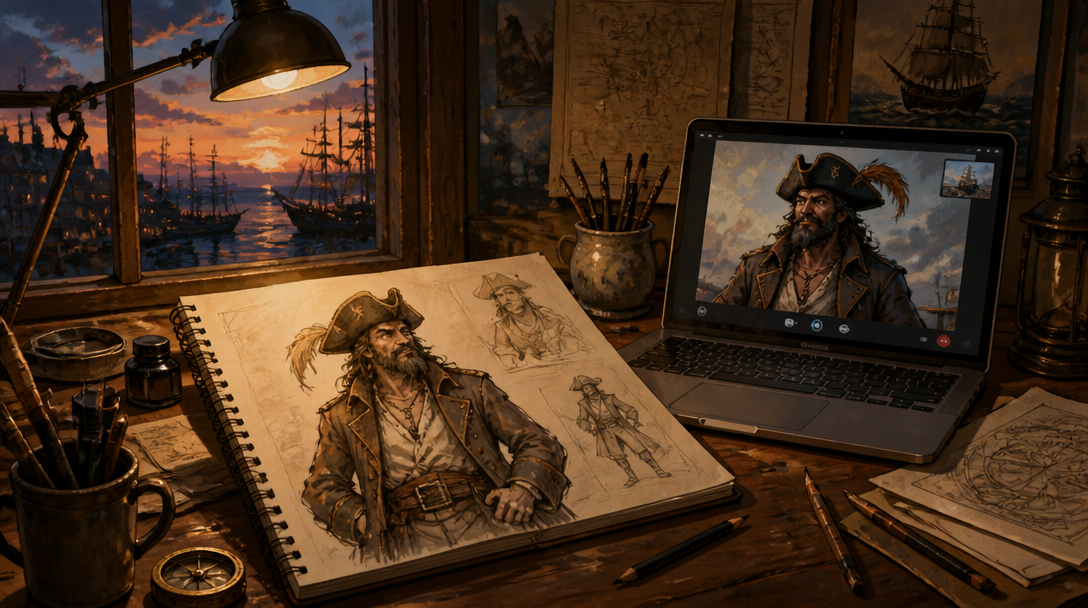
As of November 2026, five realtime avatar platforms turn one image into a live, talking character with no training video: Realtime Avatar, Tavus, LemonSlice, D-ID and Simli, and none of their image routes on the pages cited here asks for a consent recording. HeyGen LiveAvatar added a photo route beside its 2-minute video route, but its photo guide says to avoid cartoons, anime and illustrations, and its route for non-human characters needs a video over 2 minutes, a consent video of a real person and a manual approval. Stylized art is where the rest split. Tavus documents cartoon, anime and Pixar-style humans but not animals or mascots. LemonSlice says anything with a face can be animated, illustrated characters, cartoons and brand mascots included, and D-ID lists pets, mascots, robots and illustrated characters that have eyes and a mouth. Simli's page does not say whether it accepts illustrations. Realtime Avatar takes one frontal portrait (jpeg, png or webp, up to 8 MB) with no recording step, and the public example avatar in its quickstart, seed-rin-ashfall, is an anime-style illustration. Use only original or licensed characters, and test your exact art style before you build a cast.
- Anime or illustrated human characters, with listening, the reply and the voice handled by one API: Realtime Avatar, from one portrait with no consent recording; test your style in the free Sandbox first.
- Documented support for cartoon, anime and Pixar-style humans: Tavus, from one image on Phoenix-4.5 or Phoenix-4; the Phoenix-4.5 preview is watermarked until tuning finishes a few hours later, and Phoenix-4 typically takes 3 to 4 hours.
- Animals, mascots or robots: LemonSlice or D-ID, the two whose image routes document non-human characters; Tavus excludes them, and LiveAvatar sends them through a 2-minute video and manual approval.
- A face for a voice agent you already run on LiveKit or Pipecat: Simli or LemonSlice, which animate audio you send; Realtime Avatar has no renderer-only mode.
- Not built for illustrated art: HeyGen LiveAvatar, whose photo guide advises against cartoons, anime and illustrations.
- Consent recordings: LiveAvatar's video route asks for one (pre-recorded on Business and Enterprise, live by webcam on Essential and Free), its non-human route needs a consent video of a real person, and a Talking Avatar custom avatar needs a video with signed consent; none of the image routes on the Realtime Avatar, Tavus, LemonSlice, D-ID or Simli pages linked here asks for one.
Competitor facts below come from each vendor's own page, read on 16 November 2026 and linked at the end; Realtime Avatar figures come from its pricing page and docs.
What each API needs to make a live avatar, as of November 2026
Each line covers the input, stylized art, any recording or consent step, time until the character can take a call, creation cost, and whether the conversation (speech recognition, reply, voice) is included.
- Realtime Avatar: one frontal portrait, jpeg, png or webp up to 8 MB, through the API or the no-code Avatars page. Creation is image-only: one portrait is the entire input, with no training video or consent recording. The idle loop and clip library render over the next minute or two. The quickstart's example character is an anime-style illustration. Creation cost: the free Sandbox covers a first avatar plus 2 minutes of calls; Starter includes 5 avatars, Developer 25 and Studio 100, then $3 per avatar. Included in the call: listening, turn-taking, interruption, the reply, a built-in voice and the video, metered by the second.
- Tavus: Image-to-Face training through the Create Face API on Phoenix-4.5 or Phoenix-4; only the legacy Phoenix-3 is video only. Its face FAQ accepts realistic, cartoon, anime and Pixar-style humans, says the checker looks for a human-shaped face rather than photorealism, and excludes animals, mascots and other non-human figures; its image check also has an error for a widely recognizable public figure or a clearly identifiable copyrighted character. Phoenix-4.5 is usable early as a zero-shot preview with a watermark burned into the video, then tunes in the background for a few hours; Phoenix-4 has no preview stage and typically takes 3 to 4 hours to train.
- HeyGen LiveAvatar, photo route: one JPEG or PNG of at least 1080p in 16:9 or 9:16 showing a single person; the creation guide's list of things to avoid starts with cartoons, anime or illustrations. The guide describes the upload in the dashboard, and the API has a Create Image Avatar endpoint marked Alpha, which may change or be removed without notice. Custom avatars are for paid users, the $99 a month Essential plan includes 1 custom 720p slot, and HeyGen's getting-started article estimates about 24 hours of processing for every LiveAvatar, although the photo guide says an upload is validated and processed on the spot. The guide states its consent rule (live webcam consent on Essential and Free) in its video section, not its photo section.
- HeyGen LiveAvatar, non-human or 3D characters: make a video of over 2 minutes in HeyGen's editing studio following the footage rules, submit it with a consent video of a real person, expect an automatic rejection, then email support with the avatar ID and a screenshot showing the character is free to use. HeyGen notes the technology is optimized for characters with distinct human features such as eyes, a nose and lips.
- LemonSlice: upload one image of any character, with no training, fine-tuning or character rigs. Its homepage says anything with a face can be animated, from photorealistic humans to illustrated characters, stylized designs, cartoons, brand mascots and non-humans, that creation is instant and that avatars are unlimited. You plug in your own language model and voice provider through its API and deploy with a widget, a hosted pipeline or your own pipeline.
- D-ID Image to Agent: one photo, illustration or fictional character becomes an agent on its V4 Instant model, and the page says pets, mascots, robots and illustrated characters work as long as they have eyes and a mouth. The agent answers from your knowledge base. The page describes the D-ID Studio flow, so check D-ID's API documentation before planning to create agents from code.
- Simli: builds a 3D avatar from a single photo (Gaussian splats on real geometry) and animates it from audio you send, so speech recognition, the LLM and the voice are yours to run. Its homepage lists self-serve rates from $0.009 a minute and 50 free minutes every month, and does not say whether illustrations are accepted.
- Talking Avatar: realistic avatars come from a library; a custom avatar costs $199 one time and is made from a short video and voice recording with the signed consent of the person on camera. Its free, open-source 3D avatar takes any .glb model instead of an image.
Creating a character on Realtime Avatar
An avatar is one portrait plus a voice. From your server, upload the image (or register a hosted copy by URL) and create the avatar with sourceKind image. Pass voice.auto_description and the platform picks the best-matching Fish Audio voice; motionPrompt optionally art-directs the resting loop. The create call returns in milliseconds with status preprocessing while the platform renders, in the background, a looping idle video of about 10 seconds whose first and last frame are both the portrait, plus a small motion library: an idle variant, a listening state and a gesture. Poll getAvatar until the status is ready; a call minted before the loop attaches is refused with a clear error, never a broken call.
// Server-side only: the API key never reaches a browser.
import { readFile } from "node:fs/promises";
import { RealtimeAvatar } from "realtime-avatar";

const rta = new RealtimeAvatar({ apiKey: process.env.REALTIME_AVATAR_API_KEY! });

// One original character per portrait: frontal face, jpeg/png/webp, up to 8MB.
const cast = [
  { name: "Captain Brine", file: "pirate.png", voice: "Gravelly, cheerful, unhurried sea captain." },
  { name: "Professor Quill", file: "tutor.png", voice: "Warm, clear, patient, a little dry." },
];

for (const character of cast) {
  const bytes = await readFile(`./art/${character.file}`);
  const asset = await rta.uploadAsset(new Blob([bytes], { type: "image/png" }), {
    kind: "image",
    filename: character.file,
  });

  let avatar = await rta.createAvatar({
    displayName: character.name,
    sourceKind: "image",
    sourceAssetId: asset.id,
    motionPrompt: "breathes gently, a slow blink, settles back to centre",
    voice: { auto_description: character.voice },
  });

  // Returns at once with status "preprocessing"; the loop and clips render in the background.
  while (avatar.status === "preprocessing") {
    await new Promise((resolve) => setTimeout(resolve, 15_000));
    avatar = await rta.getAvatar(avatar.id);
  }
  if (avatar.status !== "ready") throw new Error(`${character.name}: avatar ${avatar.id} is ${avatar.status}`);
  console.log(character.name, avatar.id); // ready: mint calls with this id
}
That is the whole build step. Each ready avatar has an ava_ id, the only thing your client needs; the SDK's React and React Native components render the call, and every call is full duplex, so a user can interrupt the character mid-sentence. The Avatars page does the same with no code, and the Studio is the place to try a character before you integrate it.
Portrait tips that matter for stylized art
- Draw or crop to one frontal face with head and shoulders in frame. The docs ask for a frontal portrait, and the idle loop starts and ends on exactly that frame.
- Keep the mouth clearly visible, ideally closed or in a soft smile. A separate model animates the mouth during speech, and the resting loop is held to a nearly-still envelope with at most a soft closed-lip smile.
- Keep motionPrompt small. The loop stays inside an envelope of blinks, a soft closed-lip smile, a shift in weight and a few degrees of head drift; a laugh or a head turn comes back inside that envelope anyway, and is still charged.
- Test pixel art and other low-detail styles first: none of the vendor pages linked here mentions pixel art, although LemonSlice's says any style. For a sprite your game already draws, a voice-only call keeps your art on screen and still gives the character a live voice.
- Use the free tier as your style test: the Sandbox's 480 credits, granted once with no card, cover one avatar plus 2 minutes of calls.
What a small cast costs on Realtime Avatar
Two meters apply. Each plan includes a number of avatars, then $3 per avatar, and generation such as each idle clip draws on the same credits as your minutes. Calls are billed by the second from included minutes, then at the overage rate. As of November 2026, from the pricing page:
- Sandbox: free, 480 credits once per account, no card: 8 realtime minutes, or a first avatar plus 2 minutes of calls; 1 avatar.
- Starter: $9 a month, 120 realtime minutes, then $0.095 a minute; 5 avatars included, then $3 per avatar; 3 concurrent streams.
- Developer: $24 a month, 600 minutes, then $0.085 a minute ($5.10 an hour); 25 avatars included, then $3 per avatar; 10 concurrent streams.
- Studio: $119 a month, 3,000 minutes, then $0.08 a minute ($4.80 an hour); 100 avatars included, then $3 per avatar; 20 concurrent streams.
Worked example: a pirate captain and an illustrated tutor for a small app. Both fit inside Starter's 5 avatars, so there is no avatar fee. At 300 call minutes a month, Starter costs $9 plus 180 overage minutes at $0.095, $26.10 in total, while Developer is a flat $24 with 300 minutes to spare. The crossover is about 278 minutes a month. Both figures leave out the credits each idle clip uses, so keep some headroom. A 12-character game cast fits inside Developer's 25 avatars.
Limits, rights, and where another API fits better
Use original or appropriately licensed characters only; your application owns its characters, source material and permissions. Keep generated profile pictures original and free of real-person likenesses. Vendors screen for rights too: Tavus's image check flags recognizable public figures and copyrighted characters, and LiveAvatar asks for proof a non-human character is free to use.
Treat every vendor's style claims, ours included, as something to verify with your own art: an anime-style example character shows the style can work, not that yours will. Test first, on a Realtime Avatar Sandbox avatar, a Tavus Phoenix-4.5 preview or Simli's free monthly minutes.
- You already run a voice agent on LiveKit Agents, Pipecat or OpenAI Realtime and only want a face on its audio: Realtime Avatar does not offer a renderer-only mode for that, and face-only renderers such as Simli cost less per minute.
- Your characters are animals, mascots or robots rather than human-shaped faces: LemonSlice and D-ID document non-human characters (D-ID asks for eyes and a mouth), Tavus excludes them, and Realtime Avatar's docs describe portraits only, so test first.
- Your character already exists as a 3D .glb model: Talking Avatar's open-source 3D avatar is free and skips image animation entirely.
- Your game runs in Unity or Unreal: the Realtime Avatar SDK is TypeScript with React and React Native entry points, and there is no Unity or Unreal plugin.
Questions developers ask
Is there a realtime AI avatar that works from a single photo in 2026?
Yes: Realtime Avatar, Tavus, LemonSlice, D-ID and Simli start from one image, and LiveAvatar has a dashboard photo route plus an Alpha API endpoint. D-ID's page describes a Studio flow rather than an API.
LiveAvatar rejected my illustrated character. Which APIs accept one?
That matches LiveAvatar's documentation: its photo guide says to avoid illustrations, and non-human characters need a video over 2 minutes, a real person's consent video and manual approval. Tavus accepts cartoon, anime and Pixar-style humans from one photo, and LemonSlice and D-ID accept stylized and non-human faces. On Realtime Avatar, upload the same image as a frontal portrait in the free Sandbox and judge the result.
My agents have generated profile pictures. How do I turn a picture into a live avatar without filming anyone?
Create the avatar from the picture: on Realtime Avatar that is the script above, and the character takes calls once getAvatar reports ready, which the docs put at a minute or two. LiveAvatar now has a photo route too, so its 2-minute video is no longer the only option, but its rules ask for one human subject in a 1080p, 16:9 or 9:16 image.
Can Tavus make a replica from a single image or a cartoon, and how long does training take?
Yes, on Phoenix-4.5 and Phoenix-4: Tavus's face FAQ covers Image-to-Face training for realistic, cartoon, anime and Pixar-style humans, but not animals, mascots or other non-human figures. Phoenix-4.5 is usable early as a watermarked zero-shot preview and keeps tuning in the background for a few hours; Phoenix-4 has no preview stage and typically takes 3 to 4 hours. Only the legacy Phoenix-3 requires a training video.
How do I create a talking avatar from a photo with an API and use it in live calls?
On Realtime Avatar: upload the portrait and call createAvatar with sourceKind image, poll getAvatar until ready, then start calls from your server with the avatar id and render them in your web or React Native client. The quickstart's first call runs on the public example avatar, so you can wire up calls while your own character renders.
How much does it cost to create the avatar, not just talk to it?
On Realtime Avatar, creation is included up to your plan's count (1 on Sandbox, 5 on Starter, 25 on Developer, 100 on Studio), and paid plans charge $3 per avatar beyond that; each idle clip's generation draws on your credits. LiveAvatar custom avatars need a paid plan, starting with one slot on the $99 Essential plan. Talking Avatar charges $199 one time per custom avatar, filmed with consent. LemonSlice advertises unlimited avatars.
Can a game NPC avatar come from anime or pixel-art style art instead of a photo?
Anime-style, often yes: Tavus documents anime-style humans, and Realtime Avatar's own example character is anime-style. Pixel art is undocumented everywhere, so test it; for an NPC your game already draws, a voice-only call keeps your sprite on screen with a live voice the player can interrupt.
Which API costs least for interruptible cartoon characters made from one image?
It depends on whether you already have a voice agent. A face-only renderer costs less per minute (Simli lists self-serve rates from $0.009), but you supply speech recognition, the LLM and the voice, and Simli's page does not say whether it accepts illustrations. For the whole conversation from one API, Realtime Avatar starts at $9 a month for 120 minutes with 5 avatars included, and every call is full duplex, so users can cut in. Compare all-in rates in the dated table on our pricing page, not headline numbers.
Bagaimana cara membuat avatar AI yang bisa bicara langsung dari satu foto lewat API?
Di Realtime Avatar, unggah satu potret frontal (jpeg, png, atau webp, maksimal 8 MB), lalu panggil createAvatar dengan sourceKind image dari server Anda. Statusnya mula-mula preprocessing, lalu platform membuat video idle berulang dan pustaka gerakan dari gambar itu dalam satu atau dua menit. Setelah getAvatar mengembalikan ready, mulai panggilan suara atau video yang bisa disela. Paket Sandbox gratis cukup untuk avatar pertama plus 2 menit panggilan; Starter seharga $9 per bulan mencakup 5 avatar, lalu $3 per avatar. Tavus, LemonSlice, D-ID, dan Simli juga bisa memulai dari satu gambar. Gunakan hanya karakter orisinal atau berlisensi.
- Creating an avatar: one image in, a moving character out
- Quickstart: make the character yours
- AI app builders guide: the seed-rin-ashfall example avatar
- Avatar Studio: try a character before you integrate
- Plans, avatar fees and the dated all-in cost table
- Talking AI NPCs for games
- From image to live presence: how realtime avatars are built
- Realtime Avatar vs Tavus
- Realtime Avatar vs HeyGen LiveAvatar
- Realtime Avatar vs Simli
- HeyGen LiveAvatar: Custom LiveAvatar Creation Guide (read 16 November 2026)
- HeyGen: How to Get Started with LiveAvatar (read 16 November 2026)
- LiveAvatar API: Create Image Avatar, Alpha (read 16 November 2026)
- Tavus docs: Face FAQs, image training, styles and training time (read 16 November 2026)
- LemonSlice: image-to-avatar (read 16 November 2026)
- D-ID: Image to Agent (read 16 November 2026)
- Simli: single-photo avatars and self-serve rates (read 16 November 2026)
- Talking Avatar pricing and custom avatars (read 16 November 2026)
Compare and cost guides
- Realtime Avatar pricing
- Avatar API cost calculator
- Realtime Avatar vs Tavus, HeyGen LiveAvatar, Anam and Simli
- Realtime AI avatar APIs compared
- Realtime avatar API pricing, worked out
- HeyGen and LiveAvatar API pricing explained
- Choosing a HeyGen alternative for realtime avatars
- Tavus pricing per minute
- A Tavus alternative for live AI characters
- Meta Muse Realtime Avatar vs Realtime Avatar
- A realtime AI avatar in React Native or Expo
- Live avatars in 2026: a field guide to the research